This release focuses on enhanced sentence support and translation features.
- History now displays sentences in an improved format with hanzi and phonetic on separate lines. Sentences are marked with a vertical line in the left margin.
The Mandarin app (Hanping Chinese Dictionary) now includes auto-generated sentence translations:
- When you type an English sentence into the search box (at least 4 words), instead of showing “no English matches”, you’ll see an auto-generated Chinese translation (using on-device Google Translate) along with pinyin and sentence decomposition.
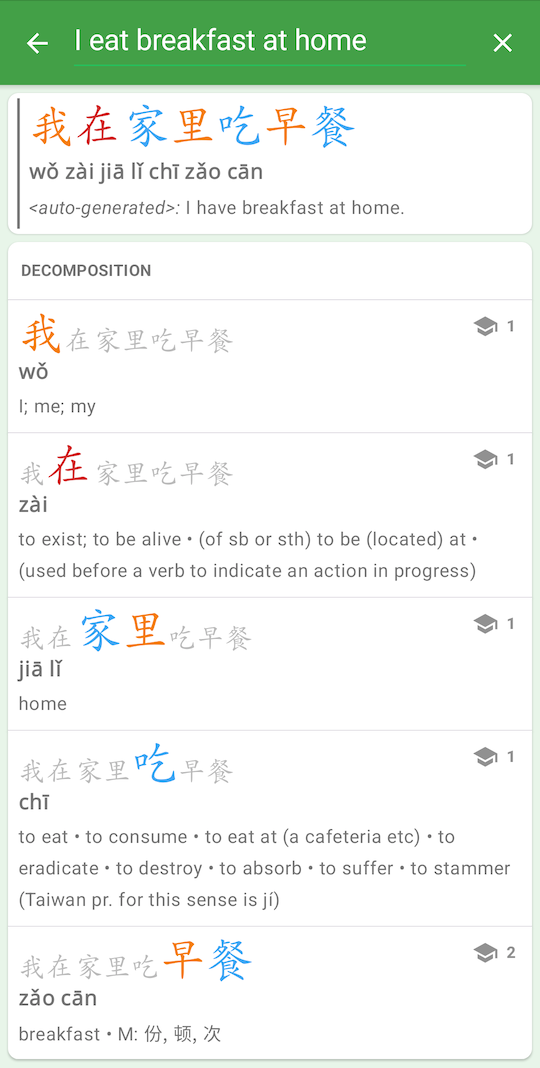
Note: Hanping also translates the generated Chinese text back to English to help confirm translation accuracy.
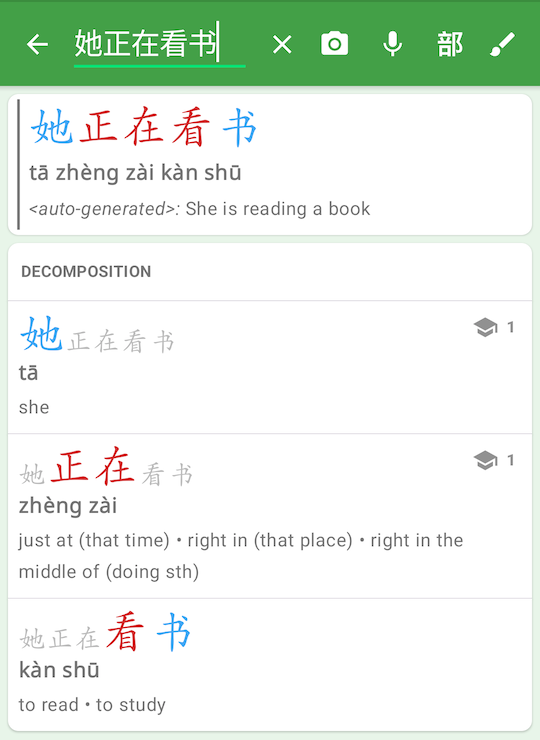
- When you type a Chinese sentence into the search box (at least 4 characters), instead of showing “unknown meaning”, you’ll see an auto-generated English translation (using on-device Google Translate) along with sentence decomposition.
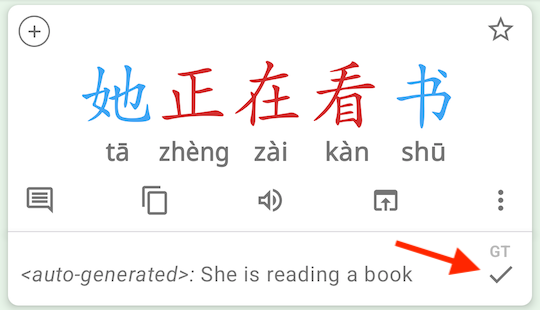
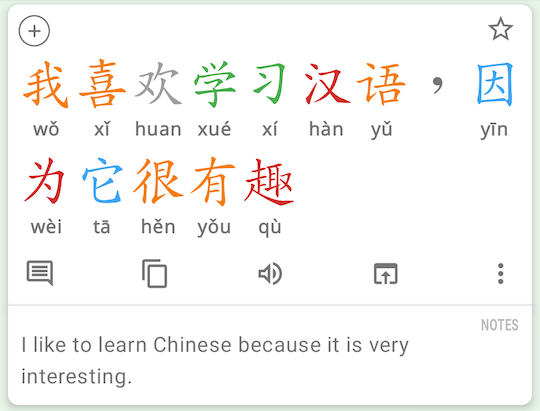
When viewing a sentence in the details screen, tap the “auto-generated” translation to open it in the Notes dialog:
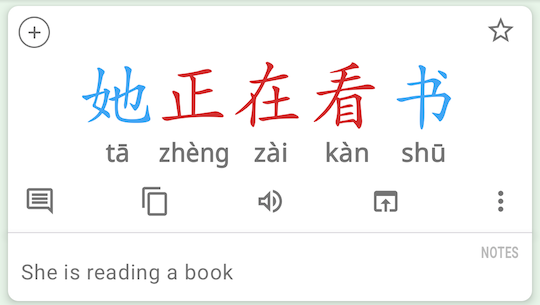
The translation will then appear like any other note:
Important notes about this feature:
- On-device translation engines have inherent limitations, so these translations are optimized for quick comprehension rather than professional-level accuracy.
- For higher accuracy, use the external online translators (DeepL, Google, Microsoft). These can be accessed via the Translate icon, and you can set your preferred translator in the Chinese Settings.
- These translations are most reliable when the input is grammatically correct. Entering random Chinese characters may produce grammatically correct English output, but that doesn’t mean the original Chinese is a valid translation of that English.
- Auto-generated translations are not available in the Cantonese app due to limited on-device translation support for Cantonese.
- Fixed issues with launching Hanping from other apps and via links
- Fixed words not being added to history
- Other bug fixes
Additional improvements:
- Added DeepL as an external translator option
- Open nav drawer and tap on other dictionary icon to quickly open the currently visible word in that app
- Fixed issues with handwriting recognition stroke latency
- Fixed issues with launching Hanping from other apps and via supported links
- Fixed words not being added to history
- Various bug fixes
Get Hanping Chinese Dictionary on Google Play Store and Apple App Store
Get Hanping Cantonese Dictionary on Google Play Store and Apple App Store
Please contact us with your feedback.